What gets compared
Most property problems are visible in the paperwork long before they become expensive. They are simply spread across documents written by different people, in different years, for different purposes, and nobody reads them side by side.
BuyerWingman reads the material you upload for a property and compares it as one set:
- Listing text, brochure claims and agent statements
- Registry extracts and ownership or charge information
- Technical, architect and engineering reports
- Planning correspondence, licences and certificates
- Energy performance certificates and inspection documents
- Your own uploads, notes and photographs
What cross-checking actually finds
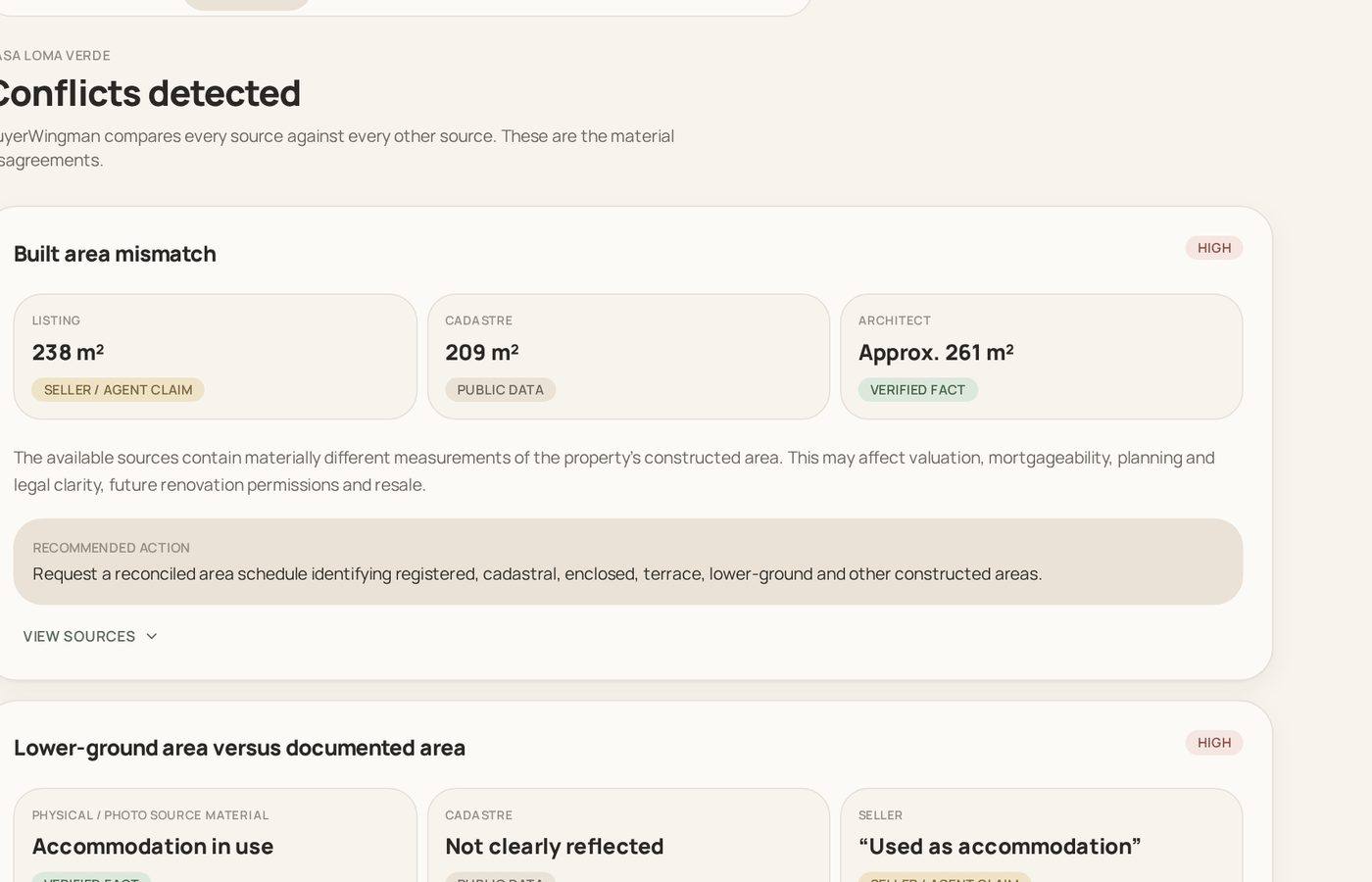
The findings are specific to the property, not a generic checklist. Typical results include a built area that differs between the listing and the technical report, a plot size that does not match the registry, a pool or terrace that appears in the photos but not in the documentation, a licence that is referred to but never supplied, or a description of the condition that the reports do not support.
Alongside contradictions, BuyerWingman records what is absent. A missing document is a finding in its own right: you cannot verify a boundary, an extension or a legal status from a document nobody has produced. Knowing precisely which paper is missing is often the most valuable output of a first pass.
Why conflicting sources are kept, not merged
It would be easy to average two areas and present one confident number. It would also be misleading. When a listing says 210 m² and an architect report says 170 m², the difference is the finding. Averaging it destroys the very thing you needed to see.
So BuyerWingman preserves both sides of every disagreement, shows the document and page each figure came from, and leaves the resolution to you and your advisers. The same applies to status: information is marked as an established fact from a document, a seller or agent claim, public data, an inference, or unknown. Those labels stay attached wherever the information is used later.
How the review runs
Upload the documents and the work happens in the background. Each file is read page by page, classified, and checked for readability — a scanned document is read with text recognition, an unreadable or duplicated file is excluded rather than allowed to distort the result. Password-protected files are rejected outright and never stored half-processed.
Once the material is processed, the property is assessed as one coherent batch rather than document by document, which is what makes cross-document contradictions visible at all. You can close the browser; processing continues and the property is waiting when you return. Adding a new document later updates the picture without discarding what was already established.
Using the findings in practice
The output is meant to be acted on. Buyers take the conflict list and the missing-document list into the conversation with their lawyer, and into the negotiation itself: an unresolved area discrepancy or an undocumented extension is a legitimate part of a price discussion. Brokers use the same review before listing, so a property goes to market with the awkward questions already answered rather than discovered by a buyer's adviser. Sellers see how their file will look under scrutiny and can close the gaps in advance.
How this connects to the rest of BuyerWingman
The findings do not sit in a silo. Risks, conflicts and documentation gaps feed the acquisition guidance, so the price discussion reflects what is actually unresolved. They appear in the property reports you can share or export. The Ask assistant answers questions using the same documents and can point to the page a statement came from. Documents in another language can be translated first, then cross-checked.
What this is not
BuyerWingman does not replace a lawyer, a surveyor, an architect or an engineer, and it does not certify the legal or structural status of a property. It reads the documents you provide, compares them and tells you what does not line up. Verification, legal opinion and structural judgement remain professional work — this simply makes sure the professionals are looking at the right questions.